Why Kubernetes Autoscaling Matters for ML and Embedded Developers
1 Motivation
For ML and embedded engineers, deployment technologies such as Kubernetes can feel distant. But the scaling behavior increasingly shapes how modern products are not only run, but how they are developed; think OTA updates, remote fleet monitoring, and model serving.
In the last weeks I built a small Kubernetes autscaling demo.
My aim: understand better how Horizontal Pod Autoscaling (HPA) behaves under real and chaotic load.
Many Kubernetes explanations stay conceptual or stop at the starting of pods.
I wanted something you can stress and watch adapt in real time.
2 The demo
My demo model is a tiny web service with a CPU-burning backend in C++. A Typescript frontend simulates impatient users who repeatedly press F5.
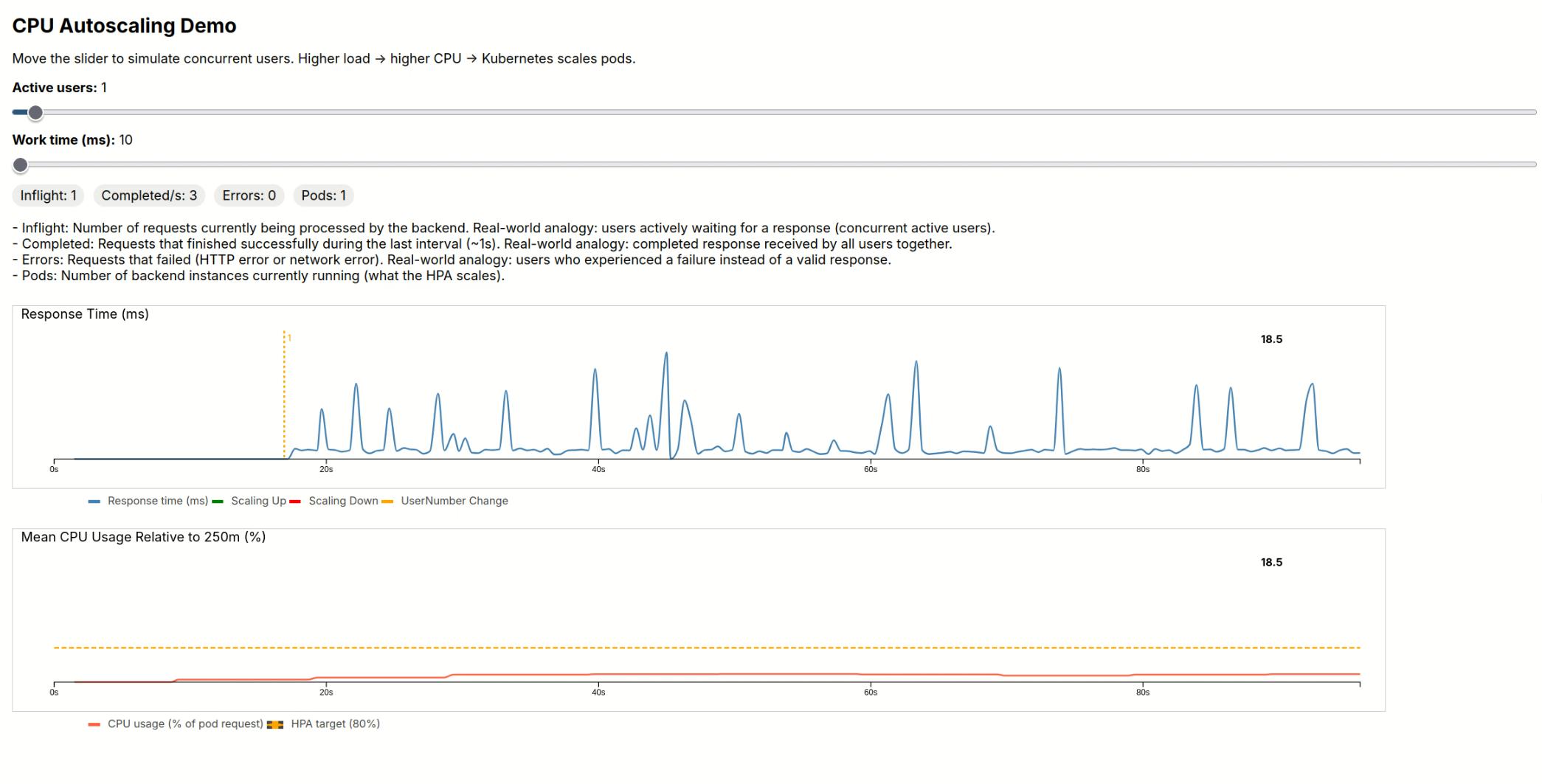
When the backend gets overloaded, Kubernetes starts creating more replicas; when the load drops, the cluster scales down. You can see the load rise, the scaling events and even scaling oscillations under chaotic load.
3 Insights
Infrastructure is not my main leg. My top 4 insights from the point of view of an ML/embedded developer.
3.1 Scaling is delayed by design
Even with aggressive scaling settings, the HPA decisions trail the user load. The information flow is kubelet-> Metrics Server-> HPA, each taking multiple seconds. This avoids reacting to instantaneous load spikes.
3.2 CPU-based autoscaling is sensitive to user behavior
My earliest attempt was to launch another request after receiving the response. This just overwhelms the CPU with requests, and scaling goes through the roof. I had to add a realistic “think time” to reflect what is actually happening in real life. Press F5, watch the content, only then press F5 again. Another option would be hard rate limits on the server side.
3.3 Percentage based scaling is trickier than scale by one scaling
For up-scaling, I used an increase-by-one-pod rule. For down-scaling, I allowed withdrawing as many pods as quickly as possible. My thinking: too-slow down-scaling wastes resources. The surprise: aggressive scaling leads to oscillations in the pod numbers.
3.4 The demo mirrors real system behavior surprisingly well
Despite its simplicity, the demo showed aspects that we can also experience in real production settings: the morning user burst, ill-timed lunchtime updates, traffic spikes and scaling overshoot.
4 Try it yourself
If you want to experiment with autoscaling to understand better what is happening on your projects Kubernetes cluster, full code, configurations can be found here:
https://github.com/dolind/demo_autoscale
The demo is a reminder that infrastructure knowledge is no longer optional. Even for non-cloud or ML-heavy teams, a bit of systems intuition goes a long way.
This project is done. I’ll be shifting back to ML-focused work now.
5 Bonus Material
5.1 Explore the demo by Video
If you do not want to run the demo yourself, here is a full recording of a session. Yellow lines indicate a rise of user numbers, greed pod up-scaling, red down-scaling.
5.2 Technical deep dive
A full technical deep dive — including setup, architecture, and detailed scaling analysis — is available here.